How to Use Career Assist
Select a guide and follow the visual steps.
Create a Professional CV
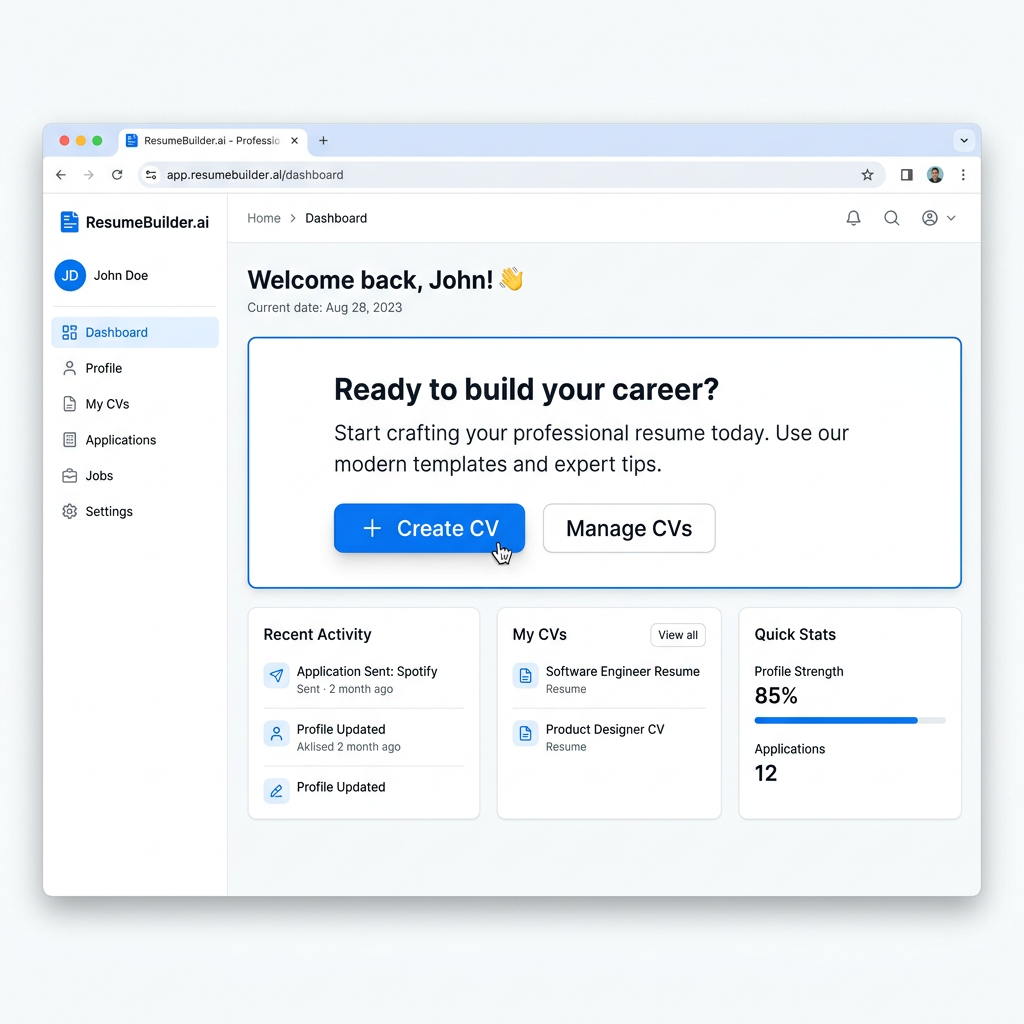
1
Click 'Create CV'
Navigate to the CV Builder section and click the 'Create CV' button to start your professional resume.
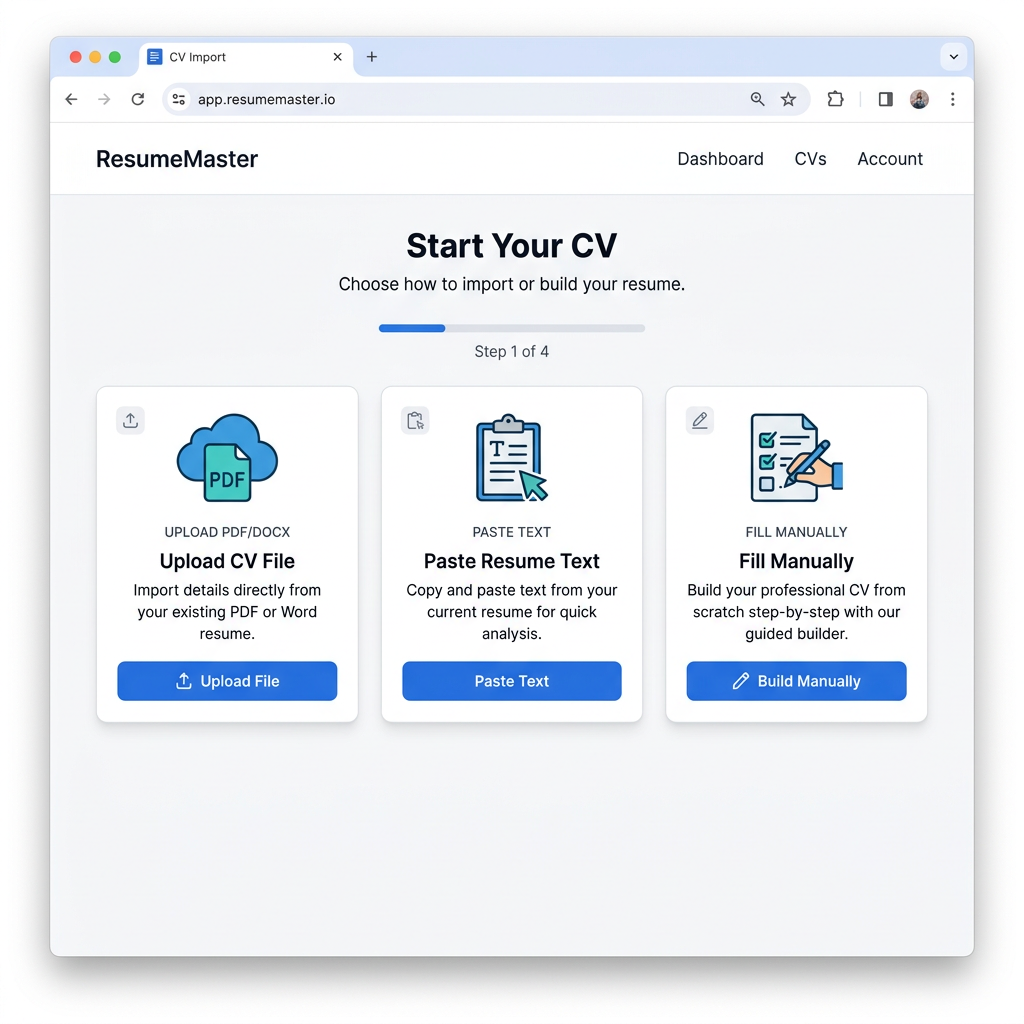
2
Choose Import Method
Select how you want to import your CV data—upload a PDF, paste text, or fill in details manually.
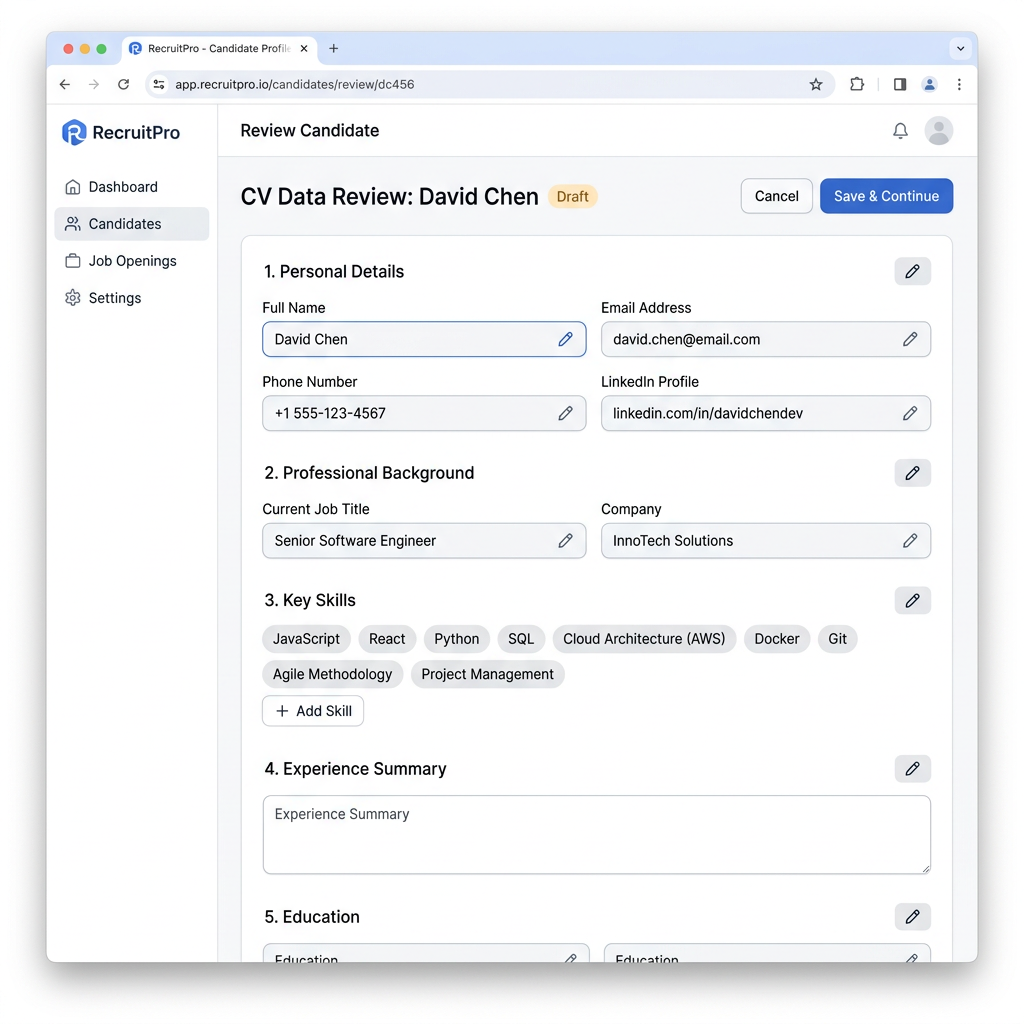
3
Review & Verify
Review the parsed information from your existing CV. Edit and correct any details as needed.
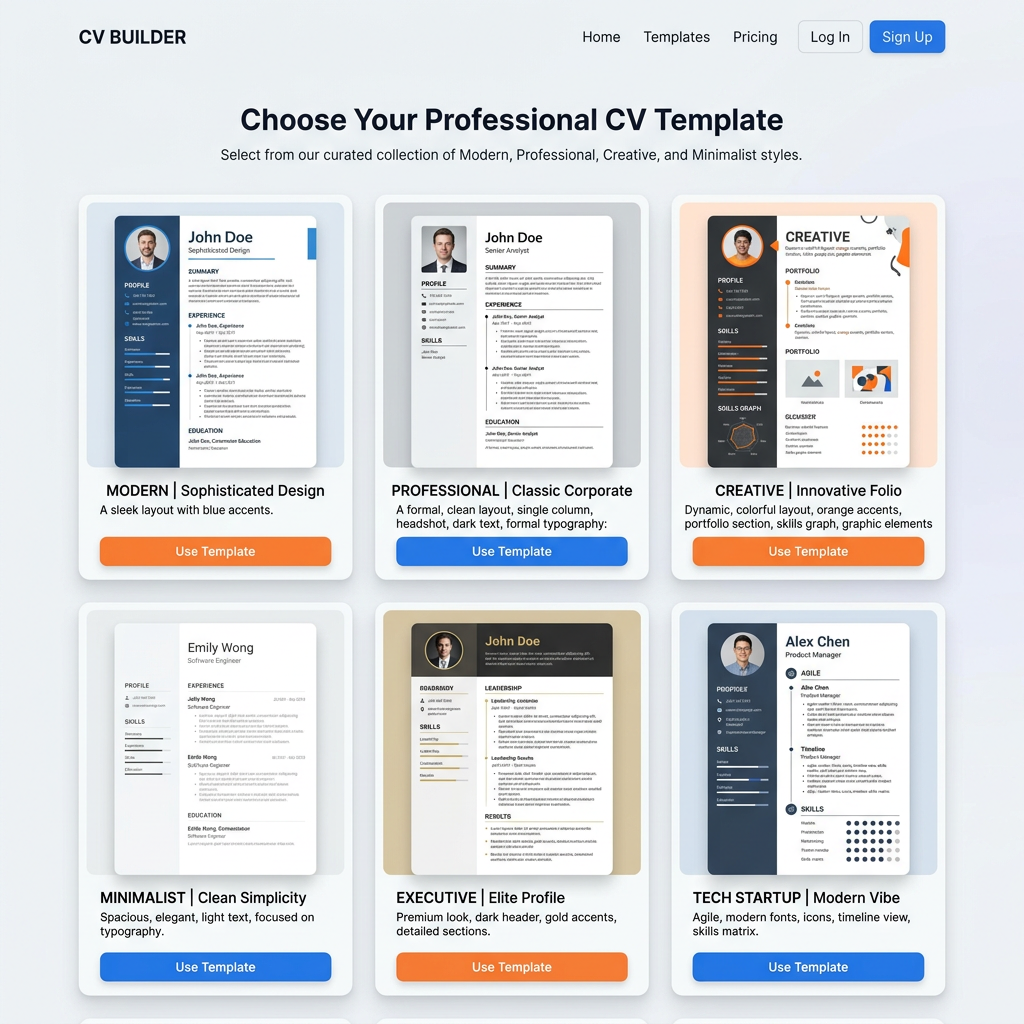
4
Select Template
Browse and choose from our professional CV template designs that match your style and industry.
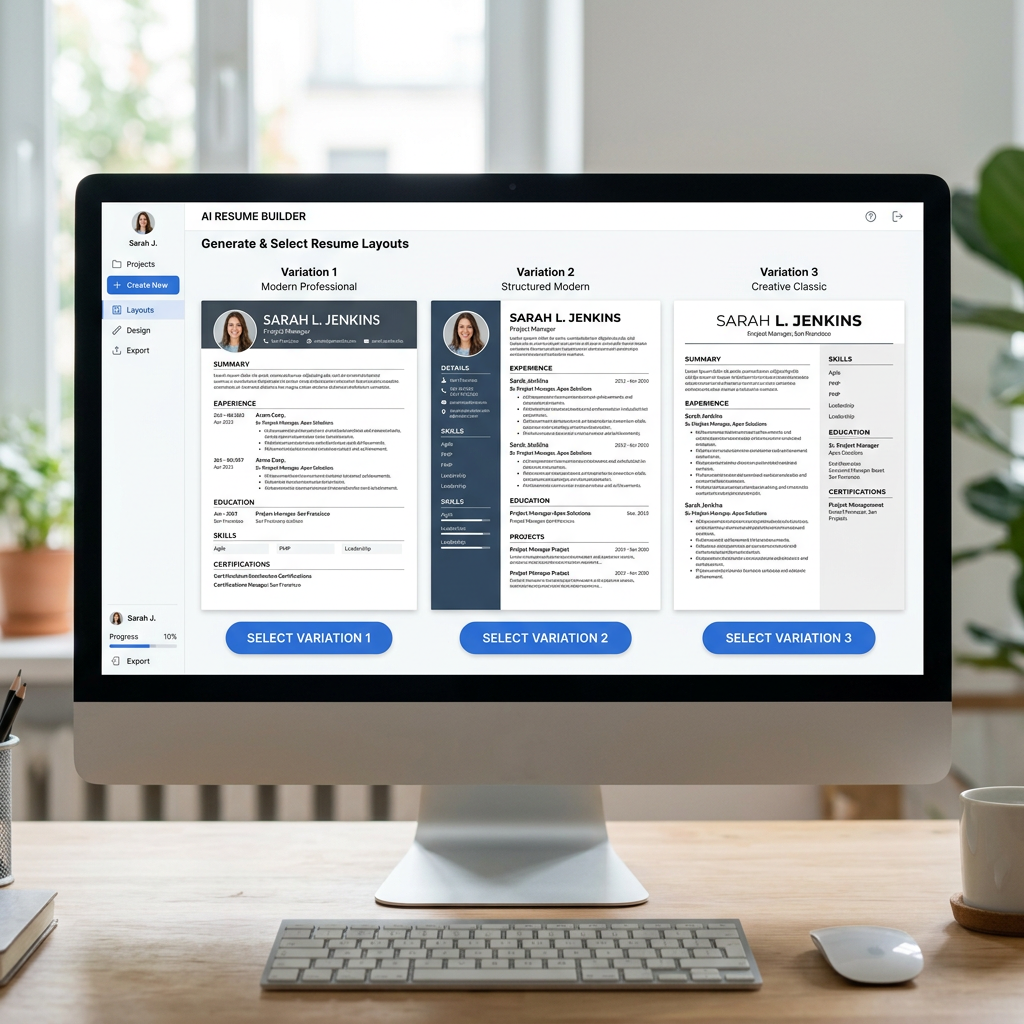
5
AI Generates Options
AI creates 3 unique CV variations. Review them and select your favorite version.
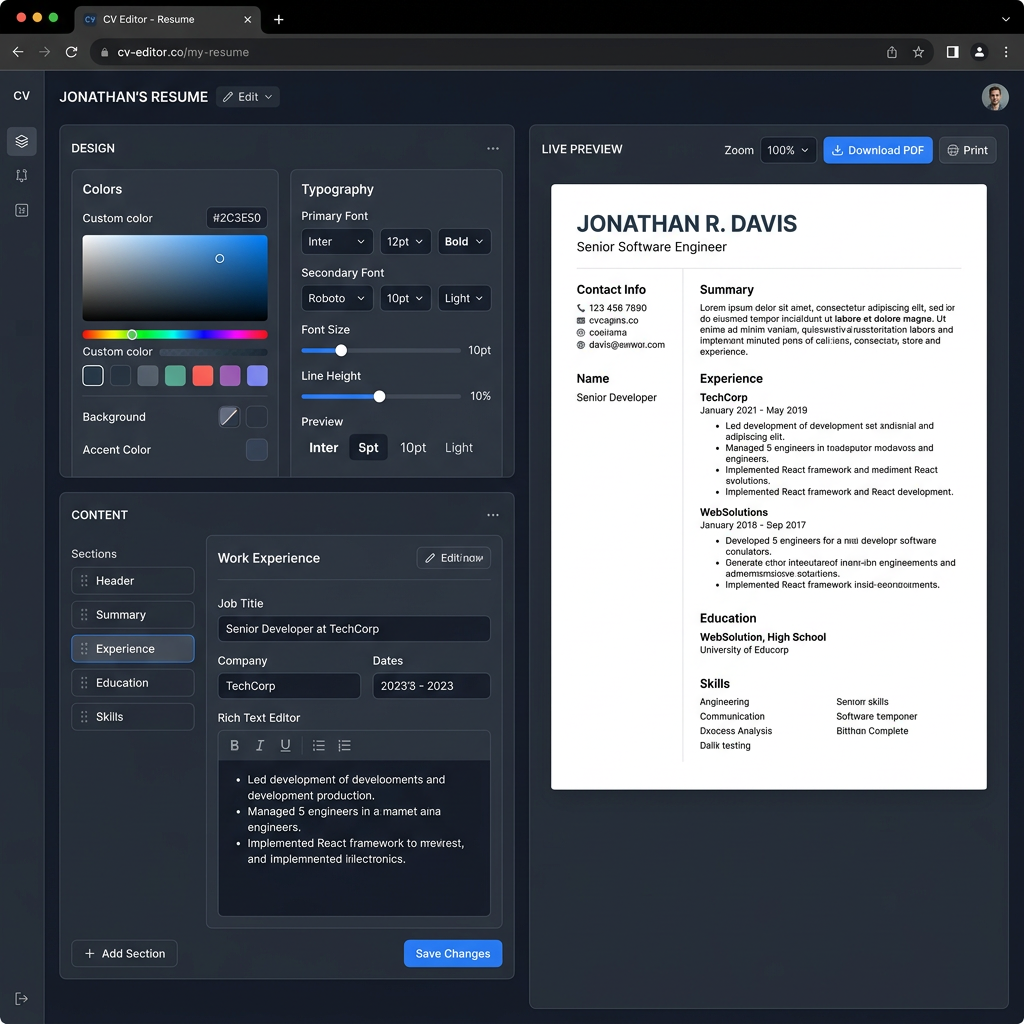
6
Customize & Export
Fine-tune colors, fonts, and content. Download your CV as PDF or Word document.
Step 1 of 6